
HTTP Response Test
Check how any URL responds over HTTP or HTTPS. You get the status line, response time, and the full set of headers the server sends on the first response - perfect for APIs, security audits, and debugging redirects before they are followed.
Hero, guides, and sidebar links below work without JavaScript. The interactive checker needs JavaScript enabled in your browser.
What Is an HTTP Response Test?
An HTTP response test sends a real HTTP request to a URL from our servers and shows you the status line, timing, and every response header the target returns. Unlike only checking reachability, you see exactly what a client gets on the first hop - ideal for APIs, debugging redirects, and auditing security headers.
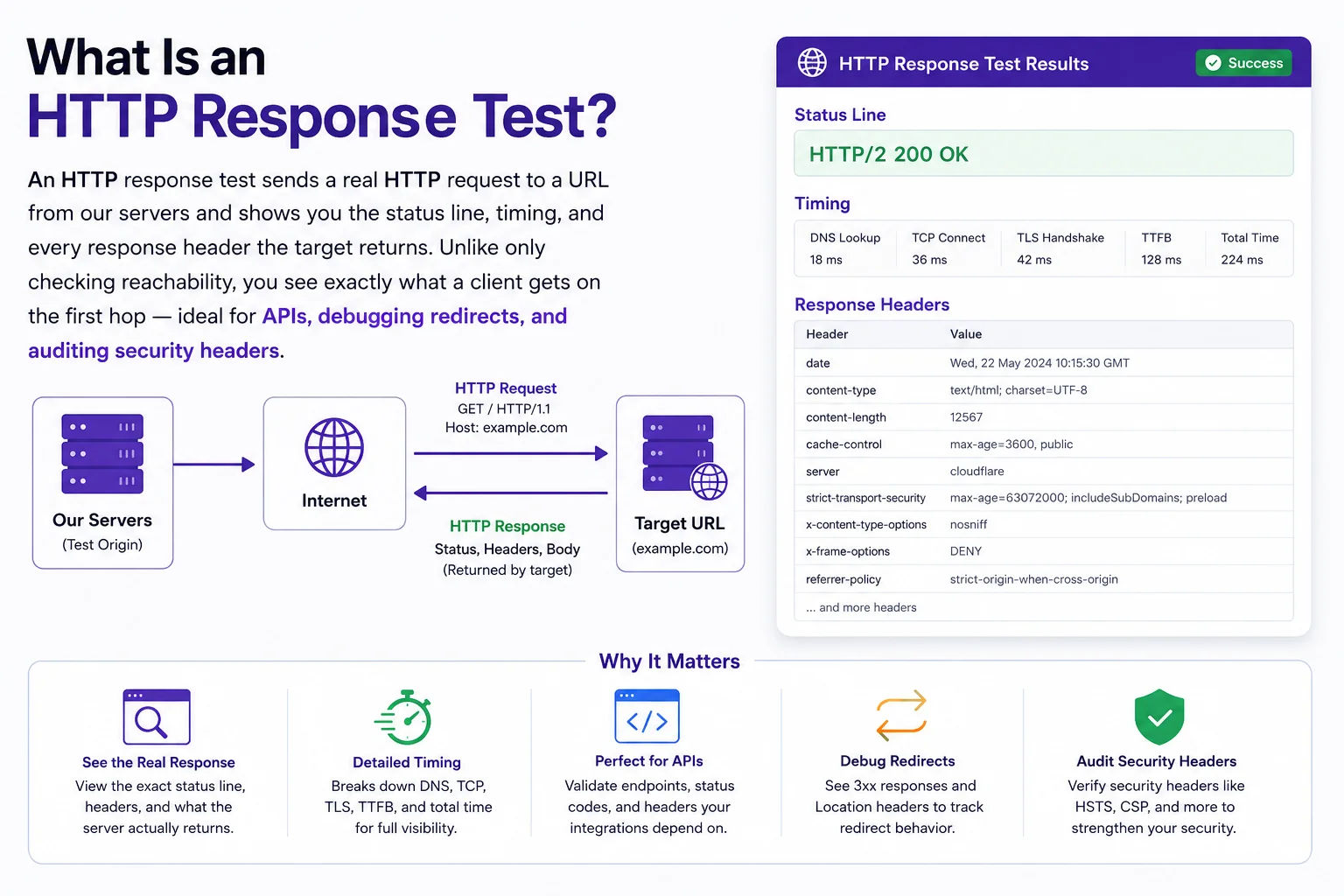
Inspecting status codes and headers helps you verify TLS, caching, redirects, and policy headers without guessing from browser devtools alone
HTTP Response Test vs Related Checks
| Tool | What you see | Best for |
|---|---|---|
| HTTP Response Test (here) | First response status, timing, full header list (GET, redirects not followed) | Headers, APIs, initial redirect responses |
| HTTP Headers | Focused header inspection workflow on our site | Deeper header analysis alongside other lookups |
| Website Reachability | Up/down style check via HTTP HEAD | Simple “is the site answering HTTP?” checks |
| IP Redirect Checker | Full redirect chain | Multiple hops and final landing URL |
Security and debugging headers to look for
- Strict-Transport-Security: enforces HTTPS in browsers (HSTS)
- Content-Security-Policy: limits where scripts and assets may load from
- X-Frame-Options / frame-ancestors: clickjacking protection
- Cache-Control / ETag: caching behavior for CDNs and browsers
- Server / Via: fingerprinting; often trimmed in production
Redirects: we use redirect: manual, so you see the first response (for example 301/302 with a Location header). For the full chain, use IP Redirect Checker.
Frequently Asked Questions
What does HTTP response test show?
Status code, response time, and the raw headers returned by the server. It helps you verify how a URL responds without loading the full page.
Why would I need to see HTTP headers?
Headers reveal security settings (CSP, HSTS), cache rules, content type, redirects, and server info. Useful for debugging and compliance.
Does the tool follow redirects?
We request with redirect: manual so you see the first response and status. For redirect chains, use our IP Redirect Checker.
Is it safe to test my site?
Yes. We send a single GET request. No form submission or sensitive data.
Can I test APIs?
Yes. Any HTTP or HTTPS URL works. APIs often return JSON and useful headers.