
Email Server IP Test
Look up MX hosts for any domain, then verify the top mail exchanger accepts a short SMTP connection on port 25 and returns a greeting banner. Use it to sanity-check DNS and basic reachability - not deliverability scoring or authenticated submission.
Hero, guides, and sidebar links below work without JavaScript. The interactive checker needs JavaScript enabled in your browser.
What Is an Email Server IP Test?
Mail for a domain is routed using MX DNS records. This tool resolves those records from our infrastructure, picks the preferred mail exchanger, and performs a quick SMTP handshake on port 25 so you can see whether that host answers with a banner - a basic signal that inbound mail paths are listening. It does not send email, authenticate, or walk the full message flow.
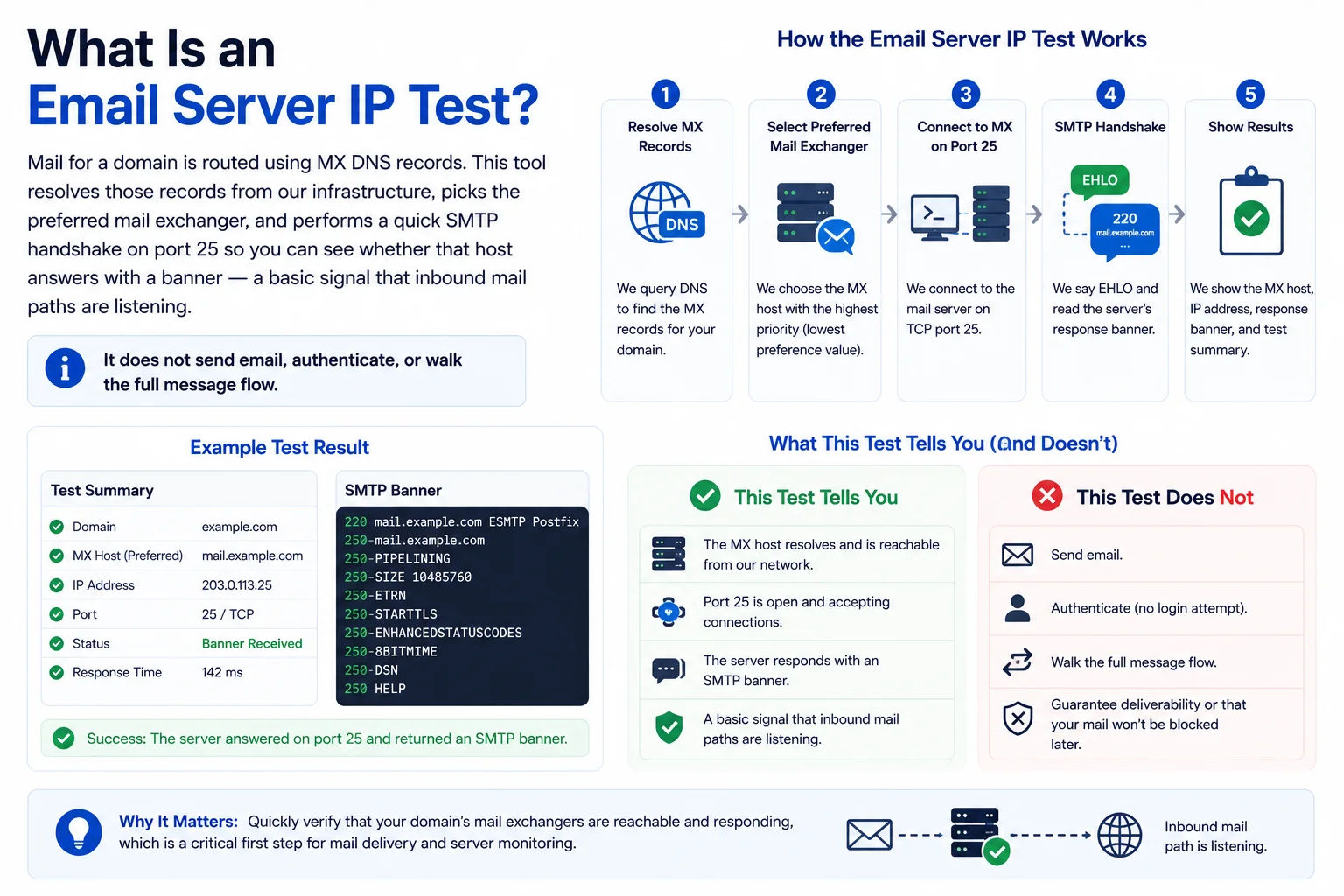
MX plus a live SMTP banner check helps confirm the hostname your DNS points at is actually accepting classic SMTP
MX + port 25 vs other checks
| Check | This tool | Elsewhere on the site |
|---|---|---|
| MX records | Yes - ordered by priority | DNS Lookup for any record type |
| SMTP TCP / banner | Port 25 to primary MX only | TCP port test for custom ports |
| SPF / DKIM / DMARC TXT | Not included here | Use DNS Lookup on the apex, _dmarc, or selector._domainkey |
| IP reputation | Not included here | IP blacklist check |
Interpreting failures: if port 25 is closed to us but mail works for you, the provider often blocks unknown data-center sources while allowing real mail peers. Combine this result with DNS and your provider's status page before changing DNS.
Frequently Asked Questions
What does the email server IP test check?
It looks up MX records for your domain from our server, picks the lowest-priority mail host, then opens a short TCP connection on port 25 to read the SMTP banner. That confirms the host is reachable for classic SMTP and shows how it greets clients.
Why might SMTP show as failed even when mail works?
Many providers block port 25 from arbitrary cloud IPs, require submission on 587/465 with TLS only, or use a different edge than the MX name you see. A failure here means we could not complete a raw port-25 handshake from our host - not necessarily that your mailbox is misconfigured.
Which port do you test?
Only port 25 against the primary MX hostname, matching how internet mail servers talk to each other. Client submission (587) and implicit TLS (465) are not tested by this endpoint.
How do I check SPF, DKIM, or DMARC?
Use our DNS Lookup tool with TXT records (and _dmarc / selector._domainkey if needed). This page focuses on MX resolution and basic SMTP reachability.
Is this tool free?
Yes. No signup - lookups run on our server and results are shown in the page.