
Website Reachability Test
Check whether any website, domain, or IP address is accessible from the public internet. Tests via actual HTTP/HTTPS requests - more accurate than ICMP ping since most servers block ping while still serving HTTP. Instant results from our server.
Hero, guides, and sidebar links below work without JavaScript. The interactive checker needs JavaScript enabled in your browser.
What Is a Website Reachability Test?
A website reachability test checks whether a web server or host is accessible from the public internet by making an HTTP or HTTPS request to it. Unlike ICMP ping (which many servers block), this test uses actual HTTP HEAD requests - the same protocol your browser uses - making it far more representative of real-world website accessibility.
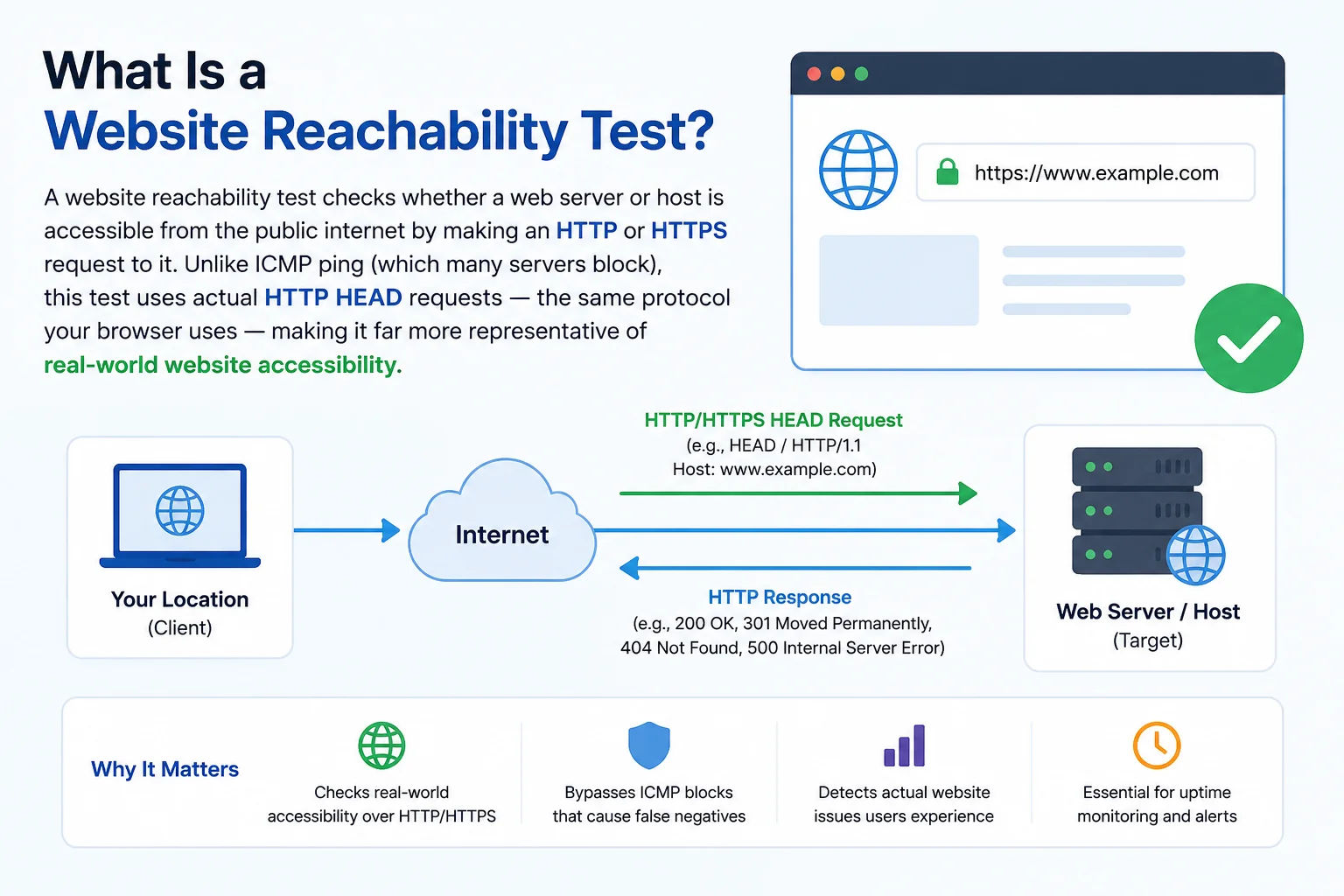
A reachability test goes beyond ping - it verifies the web server process is running and responding to actual HTTP requests, not just that the network path is open
Website Reachability vs Ping - Key Differences
| Test | Protocol | What It Verifies | Limitations |
|---|---|---|---|
| Reachability (this tool) | HTTP/HTTPS | Web server is running and responding to requests | Only tests HTTP - database or API may still be down |
| Ping Test | ICMP Echo | Network path is open and host responds to ICMP | Many servers block ICMP - no response ≠ server down |
| Port Checker | TCP SYN | Specific TCP port is open and accepting connections | Port open ≠ service is functioning correctly |
| Traceroute | ICMP/UDP | Full network path to the destination | Shows routing, not application layer status |
Why Use an External Reachability Check?
Testing from your own device can give misleading results - if your ISP is having routing issues, you may not be able to reach a server that is perfectly accessible from other locations. Our tool tests reachability from our server's internet connection, giving an objective, third-party view of whether a website is accessible from the internet. This is particularly useful when you can't tell whether a problem is on your network or the destination server.
Complete diagnostic workflow: (1) Check reachability here - is HTTP responding? (2) If not, use Ping Test - is the host responding to ICMP? (3) Use Port Checker on 80/443 - is the port open? (4) Use Traceroute - where does the path break?
Common Causes of Website Unreachability
- Web server stopped: Apache, Nginx, or IIS process is not running - port 80/443 will be closed
- Firewall blocking HTTP: Server-level firewall (iptables, UFW, Windows Firewall) blocking inbound port 80/443
- DNS not resolving: Domain may not point to the correct server - use DNS Lookup to check the A record
- SSL certificate error: Expired or misconfigured SSL certificate causing HTTPS connections to fail
- DDoS or rate limiting: Server under attack or blocking certain source IPs
- ISP routing issue: Connectivity exists to some locations but not others - use Traceroute to identify the break
- Server overload: Server responding too slowly causing connection timeouts
Frequently Asked Questions
Is website up the same as ping?
No. Ping uses ICMP which many servers block. This tool uses HTTP HEAD requests - the same as a real browser. A server can block ping while still serving websites normally. Always test with HTTP for true reachability.
What does response time show?
The time in milliseconds for our server to receive an HTTP response from the target. Under 200ms is fast; 200–500ms is normal; over 1 second may indicate server load issues or a slow connection between our server and the target.
Why might a site show unreachable when it works in my browser?
CORS (Cross-Origin Resource Sharing) restrictions can prevent browser-based HTTP checks from succeeding even when the server is up. Some servers also block requests from unknown IP ranges or require specific headers. When in doubt, also check with our Ping Test and Port Checker.
What is a HEAD request?
HTTP HEAD is like a GET request but the server returns only headers, not the body content. This makes reachability checks fast and lightweight - we verify the server is running without downloading the entire page.
Is this tool free?
Yes - completely free, no signup required. Tests any public domain or IP instantly.