
Random IP Generator
Generate up to 10,000 random IPv4 or IPv6 addresses instantly - with full control over address type (public, private, CIDR, loopback), IP range (custom start–end), uniqueness, output format, and separator. Designed for software testing, network simulation, firewall rule testing, database seeding, and load testing. Runs entirely in your browser - no data sent anywhere.
Hero, guides, and sidebar links below work without JavaScript. The interactive checker needs JavaScript enabled in your browser.
What Is a Random IP Generator?
A random IP generator creates IP addresses using a cryptographically secure pseudorandom number generator (CSPRNG), with configurable constraints: address version (IPv4 or IPv6), address type (public, private, or within a specific range), uniqueness, and output format. Random IP addresses are essential tools for software development, network simulation, security testing, and database seeding where real IP addresses cannot or should not be used.
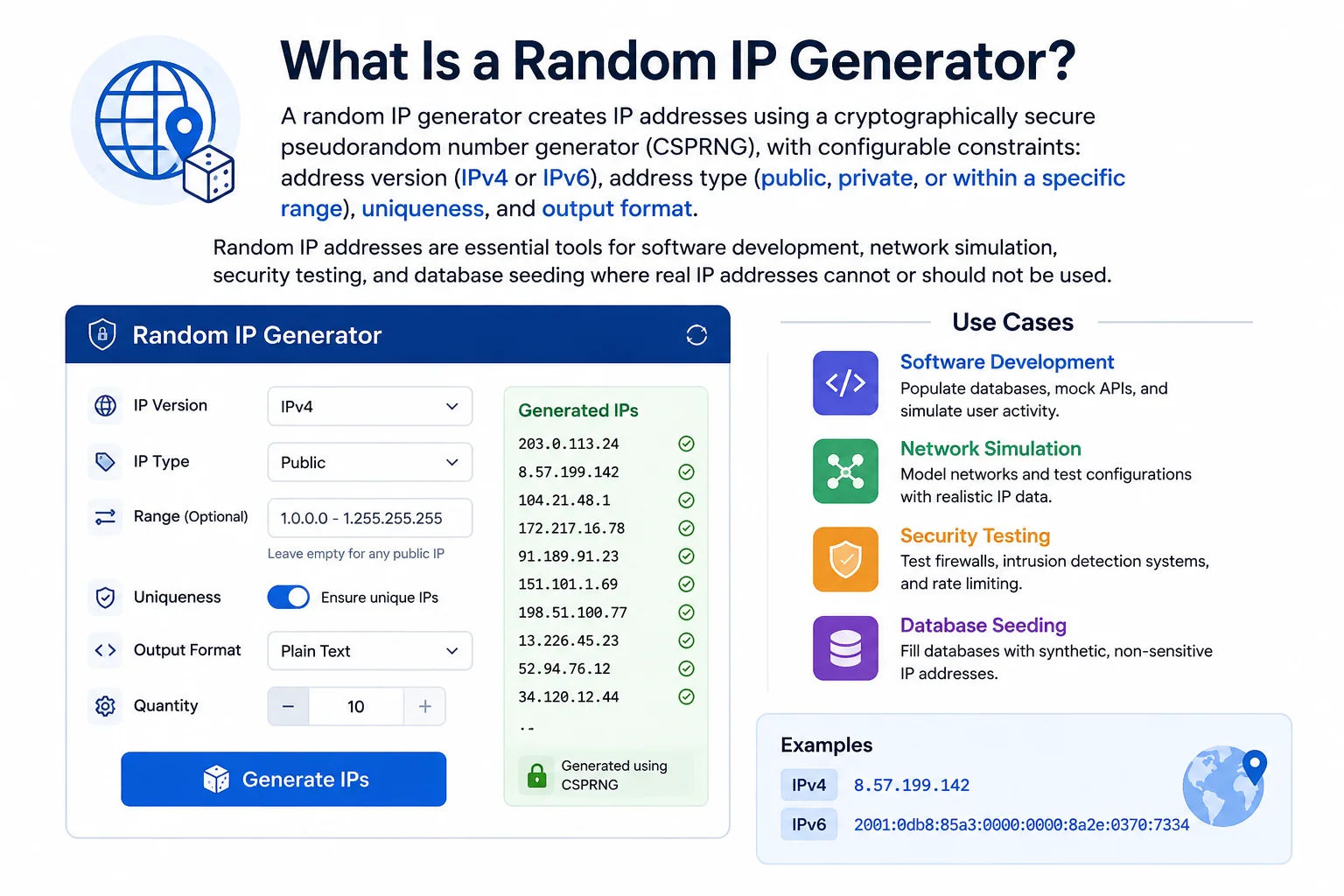
Software testing and network simulation require large sets of realistic IP addresses - a random IP generator provides unlimited test data without using real user data
How Random IPv4 Addresses Are Generated
IPv4 generation is mathematically straightforward - an IPv4 address is a 32-bit integer between 0 and 4,294,967,295. Generating a random IPv4 address means generating a random 32-bit number and converting it to dotted-decimal. The constraint is which ranges are allowed:
import random
def random_ipv4():
return '.'.join(str(random.randint(0, 255)) for _ in range(4))
# Public-only (excluding RFC 1918, loopback, etc.):
import ipaddress, random
PRIVATE = [ipaddress.ip_network(r) for r in [
'10.0.0.0/8','172.16.0.0/12','192.168.0.0/16',
'127.0.0.0/8','169.254.0.0/16','100.64.0.0/10',
'224.0.0.0/4','240.0.0.0/4','0.0.0.0/8'
]]
def random_public_ipv4():
while True:
ip = ipaddress.ip_address(random.randint(0, 2**32-1))
if not any(ip in net for net in PRIVATE): return str(ip)
# Within a specific range (e.g. 10.0.0.0 to 10.255.255.255):
start = int(ipaddress.ip_address('10.0.0.0'))
end = int(ipaddress.ip_address('10.255.255.255'))
ip = str(ipaddress.ip_address(random.randint(start, end)))
How Random IPv6 Addresses Are Generated
IPv6 generation requires 128-bit random numbers. Most languages generate random numbers in 64-bit chunks - two are combined for a full 128-bit IPv6 address:
import random, ipaddress
def random_ipv6_global():
# Global unicast starts with binary 001 → range 2000:: to 3fff::
prefix = 0x2000000000000000 # 2000::
suffix = 0x1000000000000000 # range size
net_part = prefix + random.randint(0, suffix-1)
host_part = random.getrandbits(64)
full = (net_part << 64) | host_part
return str(ipaddress.ip_address(full))
# ULA (fd00::/8) - private IPv6:
def random_ula():
global_id = random.getrandbits(40) # 40-bit pseudo-random
subnet = random.getrandbits(16)
iface = random.getrandbits(64)
full = (0xfd << 120) | (global_id << 80) | (subnet << 64) | iface
return str(ipaddress.ip_address(full))
Who Uses a Random IP Generator - 8 Real-World Scenarios
IPv4 Address Ranges - Generation Reference
Understanding which ranges exist helps you choose the right type for your testing scenario. Here are the most important IPv4 ranges and their appropriate test use cases:
| Range / CIDR | Type | Use in Testing | Routable? |
|---|---|---|---|
| 1.0.0.0 – 9.255.255.255 (approx public) | Public IPv4 | Simulating internet traffic, GeoIP testing, rate-limit testing | Yes |
| 10.0.0.0/8 | Private Class A | Large internal networks, cloud VPC simulation, Kubernetes pod IPs | No |
| 172.16.0.0/12 | Private Class B | Docker containers (172.17–172.31), AWS default VPC simulation | No |
| 192.168.0.0/16 | Private Class C | Home/office network simulation, SOHO device testing | No |
| 100.64.0.0/10 | CGNAT (RFC 6598) | Testing CGNAT detection, Jio/ISP traffic simulation | No |
| 127.0.0.0/8 | Loopback | Testing localhost handling, same-machine service discovery | No |
| 169.254.0.0/16 | APIPA / Link-local | Testing DHCP failure scenarios, AWS metadata endpoint mocking | No |
| 224.0.0.0/4 | Multicast | Testing multicast routing, IPTV system simulation | Limited |
Custom Range Generation - When to Use It
The custom range feature generates IPs between any two IPv4 addresses of your choice. Use custom ranges when:
- Testing against a specific subnet: Generate all random IPs within your company's 10.50.0.0–10.50.255.255 range to test internal firewall rules
- Simulating a specific ISP's IP pool: If you know Airtel uses 49.32.0.0–49.47.255.255, generate random IPs from that range to test ISP-specific handling
- CIDR-aligned testing: Generate 1,000 random IPs within 192.168.10.0/24 to test within-subnet routing and access control
- Populating IPAM test data: Fill specific IP ranges in your IPAM tool with realistic-looking test allocations
Frequently Asked Questions - Random IP Generator
The generator uses crypto.getRandomValues() - the browser's cryptographically secure pseudorandom number generator (CSPRNG), which is the same API used for cryptographic key generation. This means the output is statistically random and unpredictable. It is NOT sequential or predictable from the seed. Each generation produces a fresh, statistically independent set of addresses. For most testing purposes (database seeding, load testing, validation testing), this level of randomness is more than sufficient.
Yes - use the custom range fields. For 10.0.0.0/24 (10.0.0.0 to 10.0.0.255), enter Start IP: 10.0.0.0 and End IP: 10.0.0.255. The generator will create random IPs within that specific range. To calculate the start/end IPs for any CIDR block, use our Subnet Calculator first.
With "Unique IPs only" enabled (default), the generator ensures no duplicate IP appears in the output. It discards any generated IP that already appears in the current batch and generates a replacement. For small ranges with few IPs (like 10.0.0.0/28 with only 14 usable hosts), requesting more IPs than the range contains will cause the generator to exhaust the range - the output will contain fewer IPs than requested. Disable unique mode if duplicates are acceptable in your test data.
Private IP testing is common when: (1) Testing internal firewall rules - security groups and ACLs that apply to internal traffic need private IP test data. (2) Simulating internal services - Kubernetes pods, Docker containers, and VPC internal communication all use private IPs. (3) Testing RFC 1918 detection - your application may need to treat private IPs differently (skip GeoIP lookups, bypass rate limiting for internal services). (4) IPAM and network inventory testing - populating IP management databases with realistic internal address data.
No - generated IPs are for testing only. Using randomly generated public IPs in production could cause you to accidentally communicate with real internet hosts that happen to have those IPs. For testing public-IP-facing systems, use the documentation ranges defined in RFC 5737: 192.0.2.0/24, 198.51.100.0/24, and 203.0.113.0/24 - these are specifically reserved to never be assigned to live hosts, making them safe for use in documentation and test scenarios that won't accidentally reach real servers.
No - all IP generation happens entirely in your browser using JavaScript's crypto.getRandomValues() API. No data is transmitted to our servers. This means it works completely offline once the page loads, and your generated test data stays private on your device.
The tool generates up to 10,000 IPs per batch. For larger datasets - millions of IPs for load testing or big-data seeding - use the Python code examples on this page directly on your server or local machine. Python's random module is fast enough to generate millions of IPs in seconds, and using ipaddress.ip_network() gives you full control over ranges, subnets, and output formatting.