
What Is My Public IP vs. My Local (Private) IP Address?
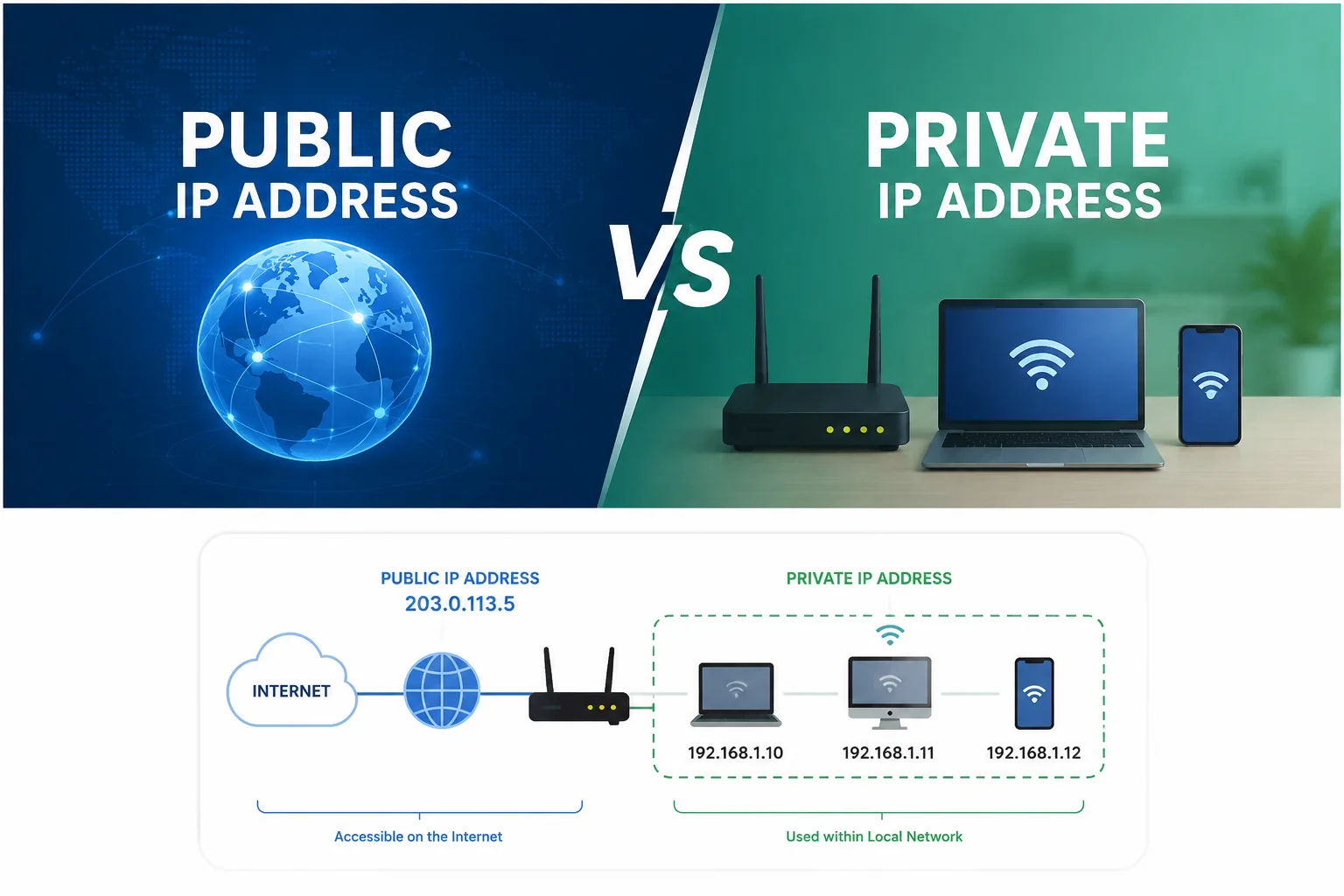
Every device on your network has a local IP address, and your whole network also has a single public IP address. They're not the same number, they don't do the same job, and mixing them up is the most common reason people think their IP address "looks wrong."
What your public IP address is
Your public IP address is assigned by your internet provider and represents your entire home or office network to the outside world. Every website you visit sees this address, not the specific device you're using. If you have five devices connected to the same Wi-Fi, all five share this one public address. Check what is my IP address here to see it right now.
What your local (private) IP address is
Your local IP address is assigned by your router, and it's different for every device on your network. It's how your router keeps track of which device is which internally, routing traffic to the right phone, laptop, or smart TV. Local IP addresses typically start with 192.168, 10.0, or 172.16, and they're invisible to anyone outside your network.
How to find your local IP address
- Windows: run
ipconfigin Command Prompt and look for IPv4 Address. - Mac: go to System Settings > Network > your active connection.
- iPhone or Android: tap the info icon next to your connected Wi-Fi network. For the full steps with screenshots-level detail on each device, see the complete device-by-device guide.
How to find your public IP address
This one's simpler, since it's the same for every device on your network. Look up your IP address here and it displays instantly, no settings menu required.
Why the numbers never match, and why that's fine
If you check your local IP address on your phone and then check your public IP address on a browser tool, you'll always get two different numbers. That's expected, not an error. It's the same reason a house has both a street address that mail gets delivered to, and individual room numbers inside that only matter to people already inside the building. For a broader look at why IP checkers can sometimes seem to disagree with each other, see why different sites show different IP results.
Frequently asked questions
Why does my local IP address checker show a different number than my public IP? Because they're measuring two different things. Your local IP identifies your device inside your own network, while your public IP identifies your whole network to the outside internet.
Can two devices on my network have the same local IP address? No, your router assigns a unique local IP address to each connected device to avoid conflicts.
Does my public IP address change more often than my local one? Usually yes, since most home internet plans use dynamic public IP addresses that can be reassigned periodically, while local IP addresses tend to stay more consistent for a given device on the same network.
How do I check my public IP address without checking my router settings? Run a quick IP lookup from any browser and it shows your public IP directly, with no need to log into your router.