 IP
IPIP Location Finder
Find the geographic location of any IP address — country, region, city, postal code, coordinates, ISP, ASN, and timezone. Shows your own IP location if no IP is entered. Essential for network investigation, fraud detection, and content localisation.
Hero, guides, and sidebar links below work without JavaScript. The interactive checker needs JavaScript enabled in your browser.
What Is IP Geolocation?
IP geolocation maps an IP address to a physical location — country, region, city, and coordinates — based on databases maintained by companies like MaxMind, IP2Location, and ipapi. These databases are built from a combination of data sources: ISP records, BGP routing data, user-reported locations, and direct measurements. IP geolocation is widely used in content localisation, fraud detection, access control, CDN routing, and regulatory compliance.
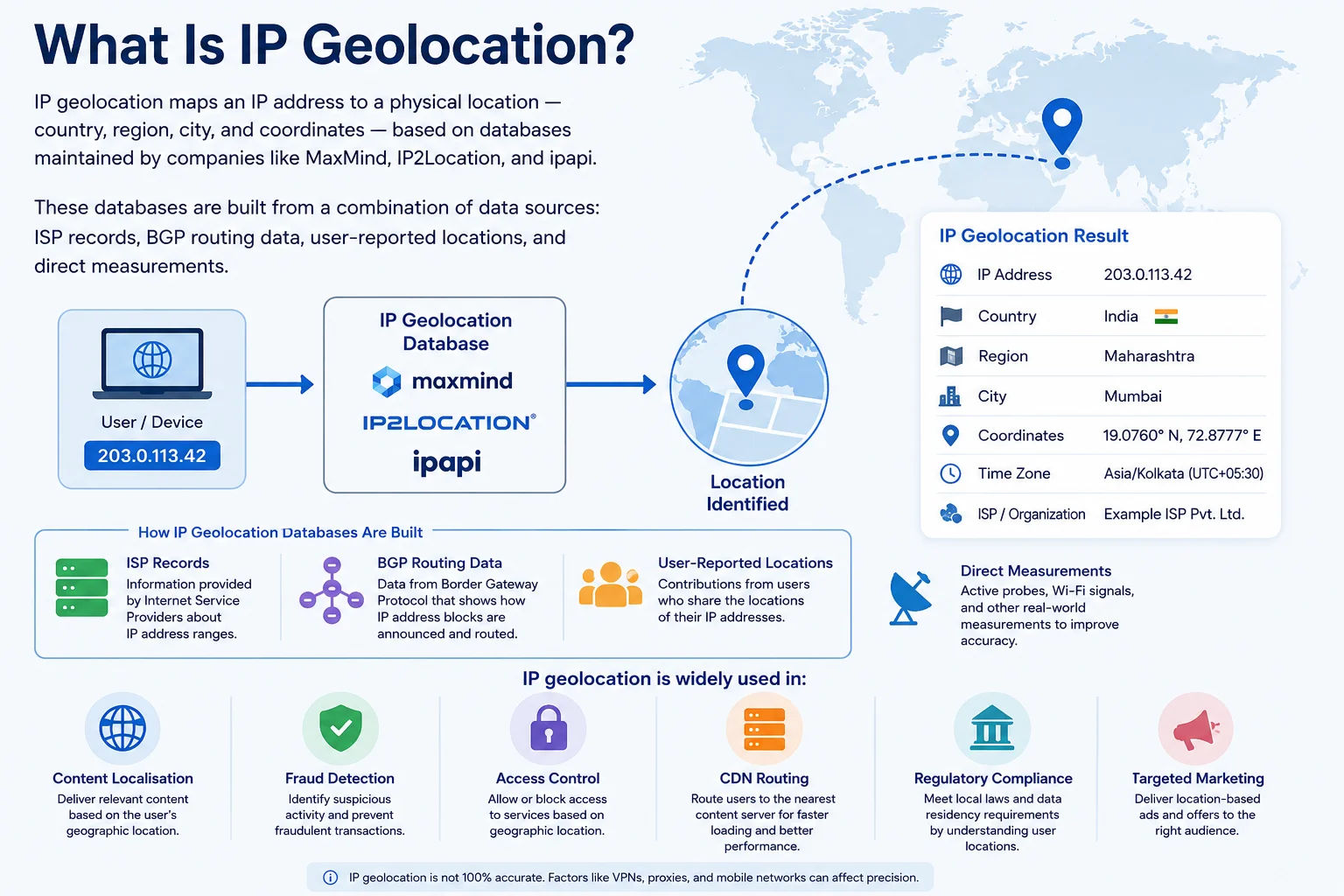
IP geolocation accuracy varies — city-level accuracy is typically 50–80%, while country-level is over 95% accurate for most IP ranges
IP Geolocation Accuracy
Geolocation accuracy varies significantly by location level:
| Location Level | Typical Accuracy | Notes |
|---|---|---|
| Country | 95–99% | Very reliable for most IPs. Major exceptions: satellite, VPN, CGNAT, proxy IPs. |
| Region/State | 70–85% | Reliable for urban areas, less reliable for rural IPs that may be registered in a distant city. |
| City | 50–75% | Often accurate for urban/suburban IPs. Mobile IPs (4G/5G) show the carrier's data centre city, not your actual city. |
| Postal Code | 30–50% | Low reliability — use only as an approximation. Never use for precise targeting. |
| Coordinates (lat/lon) | Varies | Typically represents the centre of the city or ISP's point of presence, not your exact location. |
Why Does Geolocation Show the Wrong Location?
- Mobile/4G/5G networks: Your IP belongs to the carrier's regional gateway — Jio users in Mumbai may show Delhi if that's where Jio's gateway is.
- VPN: Shows the VPN server's location, not your actual location.
- CGNAT: Jio and other ISPs using 100.64.0.0/10 range share IPs — geolocation shows the ISP's data centre, not your home.
- Corporate WAN: Your traffic may exit through a central HQ office location even if you're in a different city.
- Satellite internet: Shows the ground station location.
Frequently Asked Questions
How accurate is IP geolocation?
Country-level accuracy is 95-99%. City-level is 50-75%. Mobile IPs (Jio, Airtel 4G) often show the carrier's data centre city rather than your actual city. VPNs show the VPN server location. CGNAT IPs show the ISP's gateway location.
Why does my IP show the wrong city?
Mobile carrier IPs route through regional gateways — your Jio 4G IP may be geographically registered in Mumbai even if you're in Bangalore. ISPs also register IP blocks centrally. City-level accuracy is approximately 50-75% — always treat it as an approximation.
Can IP geolocation reveal my exact home address?
No. IP geolocation shows the city or region associated with the IP block, which is often the ISP's data centre or regional gateway — not your home address. Your exact location requires GPS or precise Wi-Fi triangulation, not IP lookup.
What is ASN?
ASN (Autonomous System Number) is a unique identifier assigned to each network on the internet. Jio has ASN 55836, Airtel has ASN 9498, Google has ASN 15169. ASNs are used in BGP routing to identify network operators. IP blocks are grouped under their owning ASN.
Is this IP location finder free?
Yes — completely free, no signup. Shows 12 data points including country, city, ISP, ASN, timezone, and coordinates for any public IP address. Automatically looks up your own IP if none is entered.